


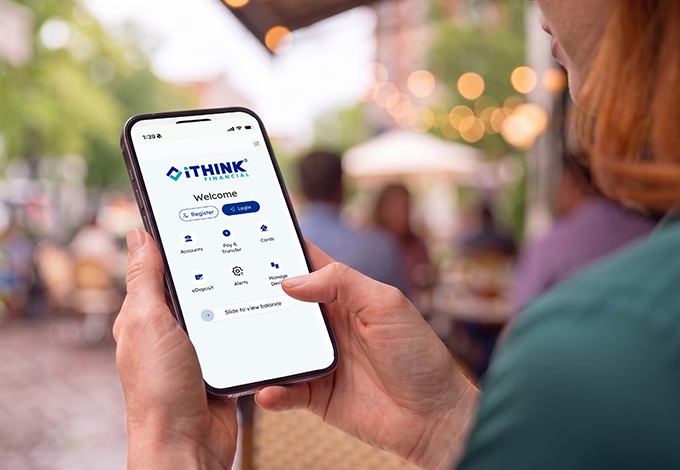
Your New Digital Banking Experience Is Here!
This page is your Digital Banking Upgrade Center, where you’ll find the latest information, helpful resources, and answers to frequently asked questions.
Be sure to check back often, as new information, updates, and resources will be added regularly.
What to Expect
Our new Digital Banking platform has officially launched. To download the Digital Banking App, Click Here.
Use QuickBooks® or Quicken®? Direct Connect users will need to reconnect their iTHINK Financial accounts within these services. Express Web Connect users may experience service interruptions for three to five business days.
Exciting New Features You’ll Love
- Stronger security features: Enhanced authentication and protections for your account.
- Bree AI: Get answers to your banking questions, personalized account insights, and help navigating Digital Banking.
- Clearer transaction details: Easily recognize purchases and deposits with improved transaction descriptions.
- Instant Payments: Send money in real time.
- A more modern Digital Banking experience: Enjoy an easier, more convenient way to manage your finances.
First Time Logging In
Already have a personal online banking username? Log in with your existing username and password. No enrollment needed.
Don't have a personal online banking username? Select Enroll and complete the enrollment process.
Important: If you already have a personal username, do not enroll again. Simply log in with your existing credentials.
- Previously used a Business, Trust, Estate, or other non-personal username? Those usernames will no longer work. Use your personal username if you have one, or enroll to create one.
- Once logged in, all eligible accounts associated with your profile will be available in one place.
Stay Informed
Explore our Digital Banking tutorials to learn how to use the features available in our new platform. Watch the full playlist for helpful step-by-step guidance.
Explore All Digital Banking Tutorials
Your deposits are federally insured by the NCUA.
Frequently Asked Questions
Why is iTHINK Financial upgrading its Digital Banking platform?
We're investing in new technology to provide a better digital experience and deliver the features and functionality our members have been asking for.
Will I need to do anything before the upgrade?
Review the "Important To Do's" well in advance and posted on this page.
Will my account information remain secure?
Yes. Protecting your personal and financial information remains our top priority throughout the upgrade process.
Where can I find updates?
This Upgrade Center will always contain the most current information available.